
Skip to content

Plan the work.See what moves.

Plan the work. Capture focused time. See how people, projects, and tasks move together. No manual timesheets required.
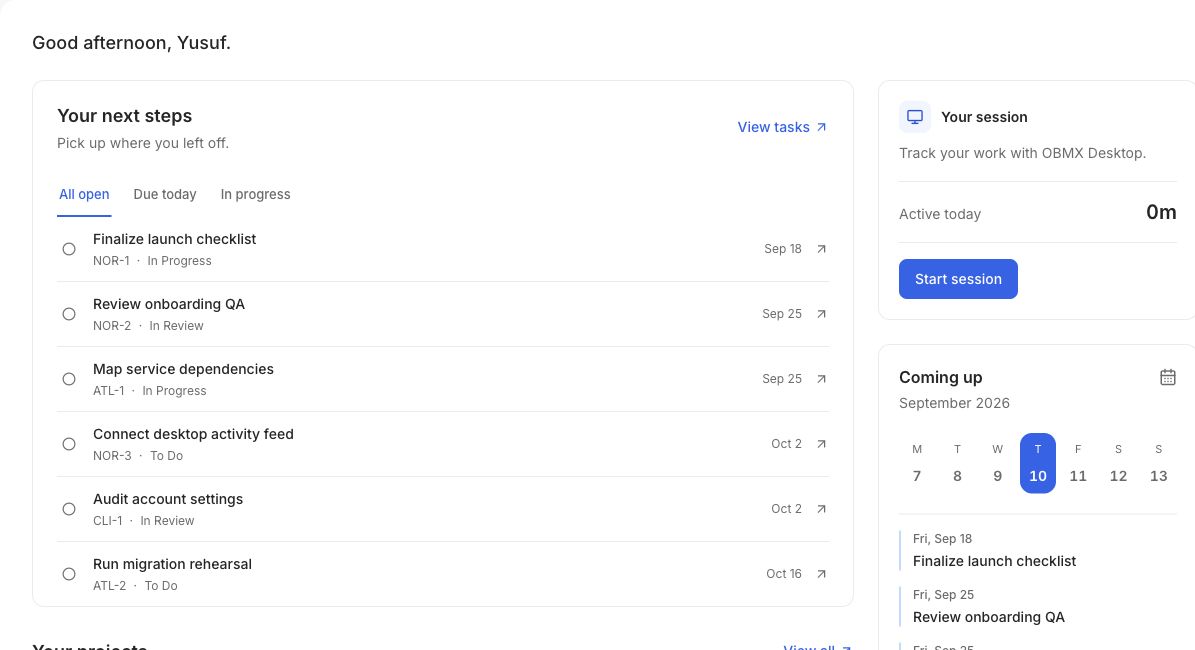
OBMX workspace showing projects and active work
A better signal

Hours tell you someone was there. OBMX shows what moved.

Productive Time Intelligence

One operating picture for the work you planned, the focus your team invested, and the outcomes that followed.

Plan

Projects, phases, milestones, and tasks share one timeline.

Capture

Desktop sessions connect focused time to the work itself.

Understand

See delivery and productive time without chasing timesheets.

Plan the work

Every commitment, in one clear system.

Turn plans into visible stages, owners, priorities, and due dates. Your team always knows what is next and what is blocked.
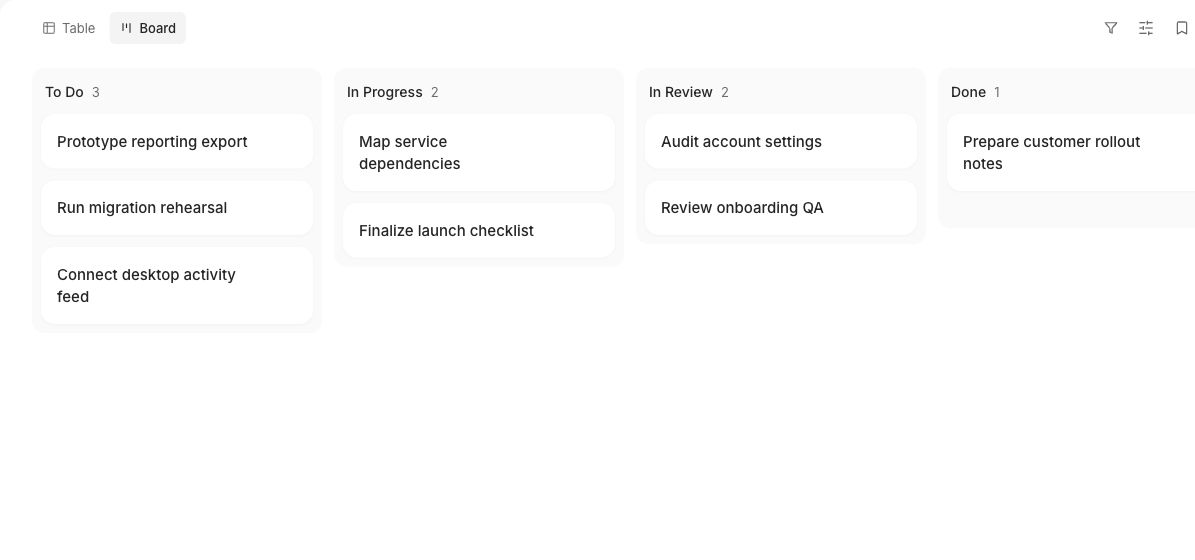
OBMX project board showing work across each stage
Keep delivery clear

Every project tells the whole story.

Progress, dates, phases, and milestones stay together. Open a project and understand its state without assembling a report.
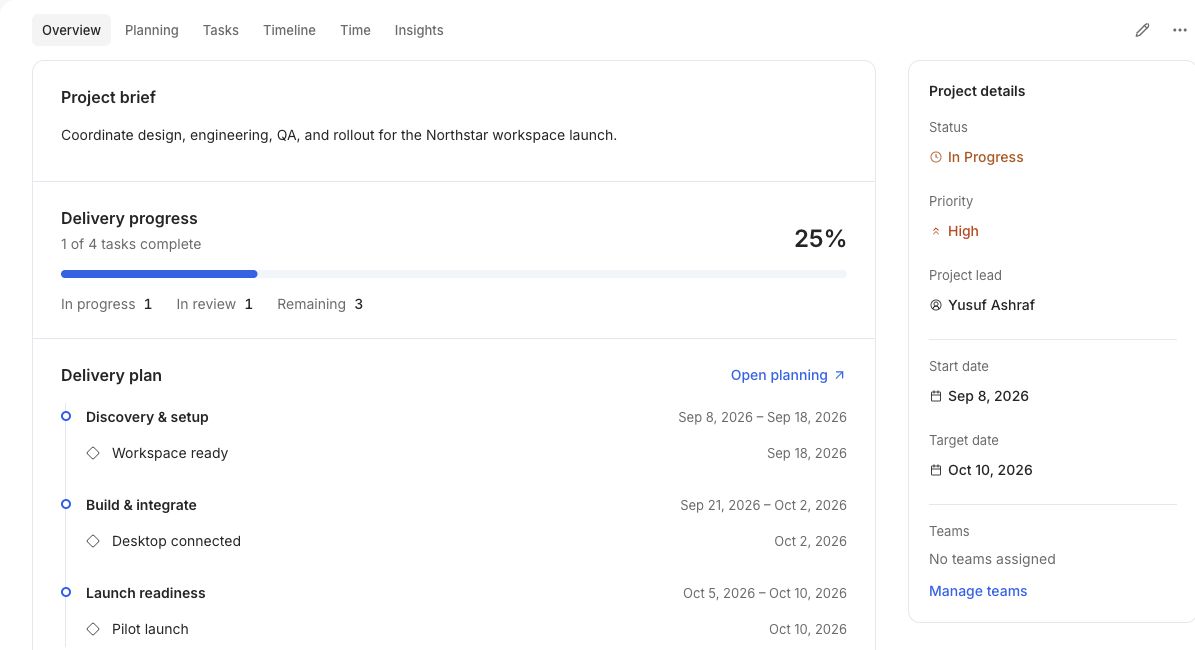
  • Live delivery progress
  • Dated phases and milestones
  • Clear ownership and priority
OBMX project overview showing delivery progress and a dated plan
One connected loop

From the plan to the proof, without the busywork.

01

Shape the plan

Set the project, sequence the milestones, and make ownership explicit.

02

Do focused work

People start sessions from the desktop app against the task in front of them.

03

Read the signal

Review delivery and productive time together, then plan the next move.

See the whole plan

Plans people can actually follow.

Projects, phases, milestones, and tasks live on the same visual timeline. Dates stay useful because they remain close to the work.
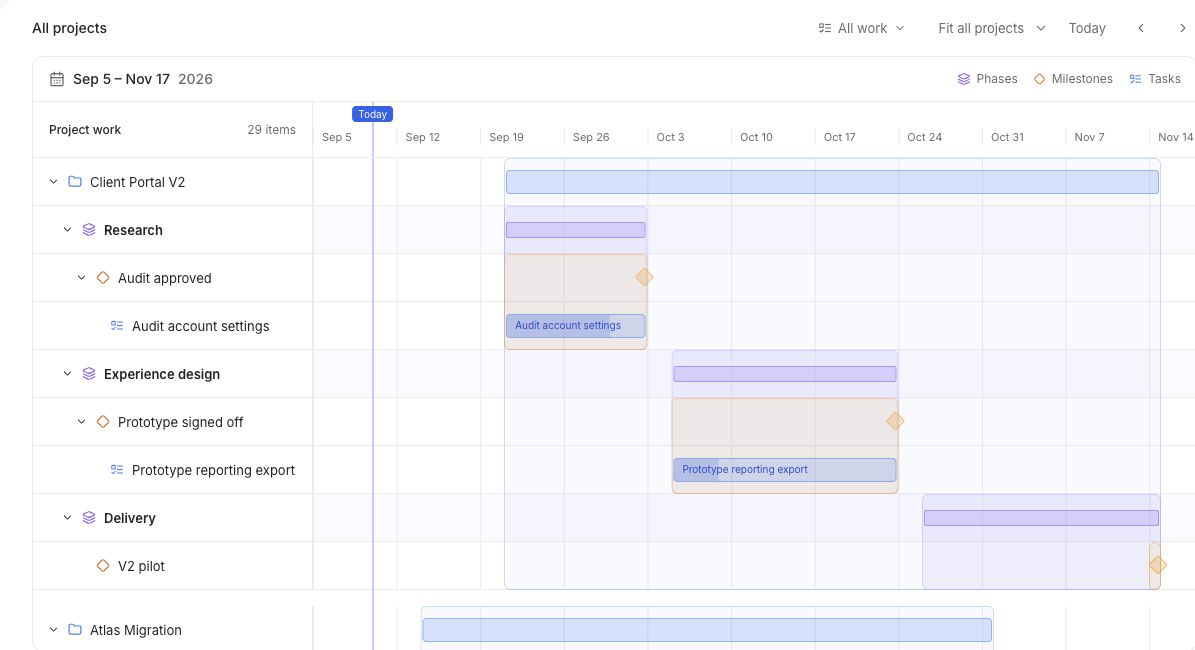
OBMX timeline showing dated projects, phases, milestones, and tasks
Why OBMX

Less reporting theatre. More useful truth.

SignalTypical toolsOBMX
PlanningScattered across toolsOne connected project system
TimeRecalled after the factCaptured while work happens
ReportingHours without contextProductive time tied to outcomes
DecisionsBased on activityBased on delivery signals

Everything behind a project that moves.

Planning, focused time, and the people doing the work. Explore what comes together in OBMX.

A clear path from plan to done.

Give each commitment an owner, connect the dependencies, and keep reviews close to the work.

Explore with your team
OBMX task board with work organized by status and owner
Your delivery plan, in the OBMX workspace

Projects & planning

  • Projects, phases, and milestones
  • Tasks, subtasks, and dependencies
  • Boards, tables, timelines, and waves
  • Owners, priorities, dates, and tags

Reviews & collaboration

  • Ordered review and approval steps
  • Comments and file attachments
  • Task activity and status history
  • In-app and email notifications
Built for modern work

For teams accountable to outcomes.

Agencies

Keep client delivery, capacity, and focused time in the same conversation.

Product teams

Connect roadmap commitments with the work that moves them forward.

Operations

Coordinate multi-phase work without losing the day-to-day details.

Distributed teams

Create shared visibility without demanding constant status updates.

OBMX Desktop

Take focused work to your desktop.

Start sessions beside the work itself, connect time to projects and tasks, and keep private activity reminders on your device.

Private by default Free during demoInstallation details →
OBMX Desktop showing projects, tasks, and focused work in one workspace
FAQ

A few honest answers.

No. Time capture is one input. OBMX connects focused time to projects, tasks, milestones, and delivery progress so the signal has context.

Turn work into a signal you can use.

Start with OBMX