Models & federation
Bring the disciplines together
Receive IFC packages, keep each revision, and review architecture, structure, and MEP in a shared browser workspace.
Element properties, sections, measurements, and saved views.
Plan the packages. Coordinate the disciplines. Keep every review, responsibility, and hour of work connected.
One connected record for the next action, the person responsible, and the decision that moves a package forward.
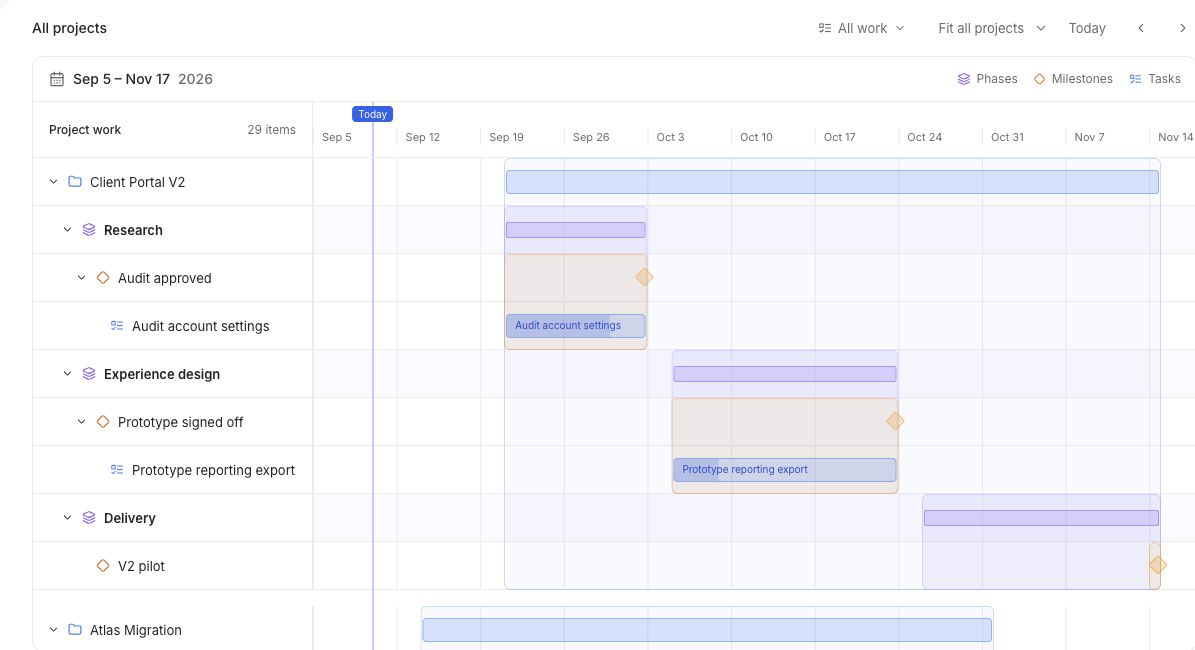
Turn information requirements and discipline handoffs into dated phases, milestones, and tasks.
Assign coordination actions, connect dependencies, and give every handoff a responsible person.
Keep comments, attachments, review steps, and decisions together on the deliverable.
Approve the work, review the focused time invested, and carry what you learned into the next package.
Level 02 handover
Discipline inputs
Architecture, structure, and MEP
Coordination actions
Assigned tasks and dependencies
Deliverable review
Comments, evidence, and decisions
Ready for handover
The work, evidence, and approval stay connected.
Focused time stays linked to the work throughout.
The next step: connect what you see in the model to the issue, the person resolving it, and the milestone waiting on it.
Planned capabilities. Not available in the current release.
Model layers and issue location shown conceptually.
Resolve the service clearance.
Level 02 · MEP / Structure
Coordination milestone
Level 02 handover
The issue would stay connected to the delivery it affects.
Models & federation
Receive IFC packages, keep each revision, and review architecture, structure, and MEP in a shared browser workspace.
Element properties, sections, measurements, and saved views.
Model-linked issues
Create a coordination issue from a model viewpoint and connect it to an assigned OBMX task, with the relevant elements attached.
BCF import and export, viewpoints, and element references.
Model intelligence
Connect elements to work packages, compare revisions, and understand which unresolved issues stand between the team and a milestone.
4D status views, revision comparisons, IDS checks, and issue gates.
BIM integrations
Extend the coordination record into the tools your disciplines already use, with shared issue and document context.
Revit, Autodesk Construction Cloud, openCDE, BCF sync, and automated clash jobs.
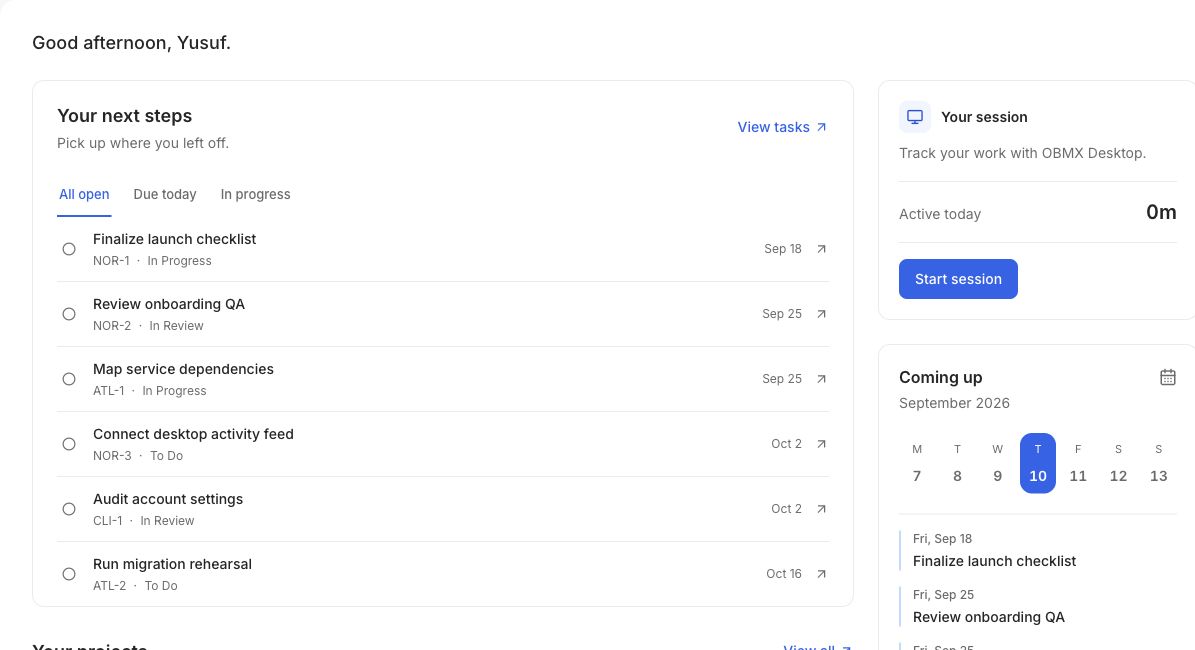
Start today with project planning, tasks, reviews, and desktop sessions alongside your existing BIM tools.
Start with OBMXConnect a folder in OBMX Desktop, then send complete Revit exports to your project.
From the first discipline package to the final review. Explore the tools that keep your team moving together.
Give each commitment an owner, connect the dependencies, and keep reviews close to the work.
Explore with your team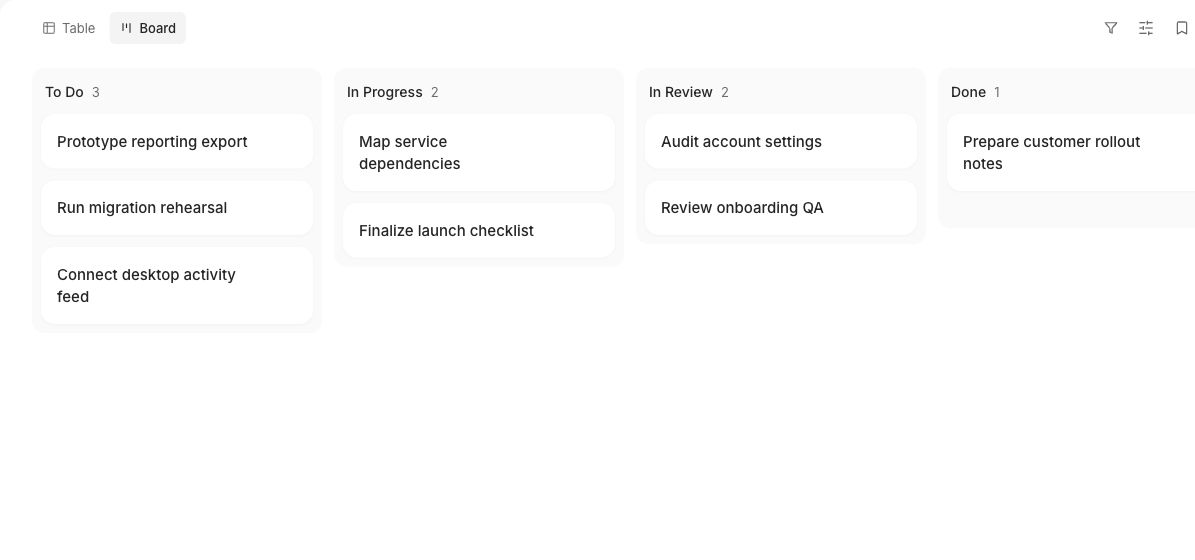
Start sessions beside the work itself, connect time to projects and tasks, and keep private activity reminders on your device.